GPT Image 2 — Next-Level AI Image Generation
OpenAI's latest image model — near-perfect text rendering, true-to-life colors, 4K native resolution. Photorealistic output, ready to use.
What Makes GPT Image 2 Different
Key improvements in text rendering, color accuracy, speed, and layout flexibility
Near-Perfect Text Rendering
Text accuracy jumps from ~90–95% to ~99%+. Signs, labels, UI elements, code snippets, and even handwritten notes render cleanly and legibly.
True-to-Life Colors
Delivers natural, neutral color rendering without the warm cast and manual cleanup common in older image pipelines.
New Standalone Architecture
Rebuilt from the ground up with single-pass inference instead of a two-stage process. Not based on the GPT-4o pipeline anymore — faster and higher quality.
Photorealism Beyond Previous Gen
Generated portraits described as 'indistinguishable from real photographs.' Accurate hand anatomy and realistic reflections.
Rich World Knowledge
Generates IKEA storefronts, YouTube interfaces, Minecraft scenes, and world maps with surprising geographic accuracy.
11+ Aspect Ratios
Adds 16:9, 9:16, and more beyond legacy square-first layouts. Better for presentations, social creatives, and video content.
GPT Image 2 in Action
See how GPT Image 2 performs in real-world scenarios — brand campaigns, e-commerce photography, multilingual design, and more
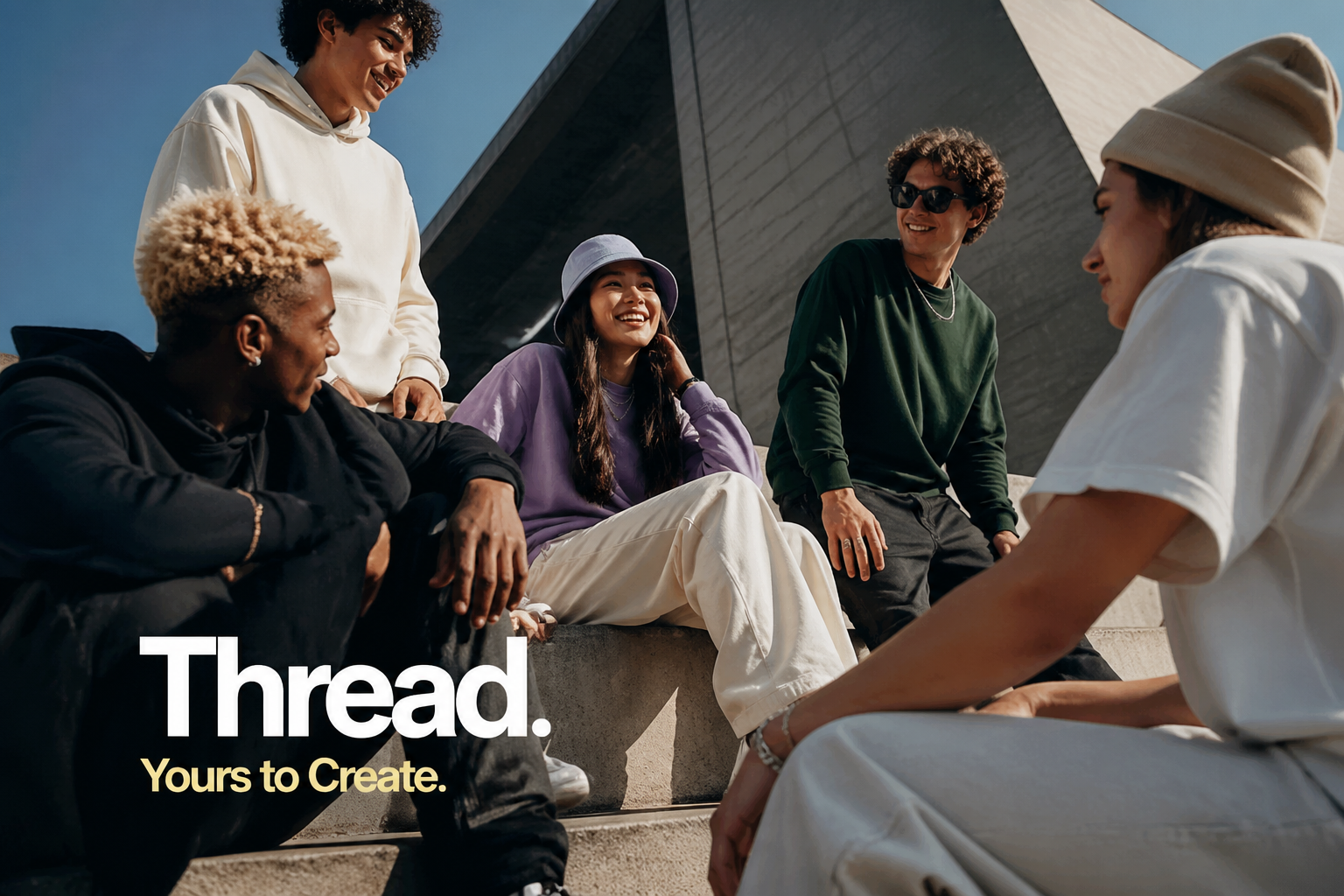
Brand Campaign Visuals
Precise text rendering + photographic composition. Generate campaign-ready visuals with product labels, slogans, and CTA text in one shot.
Start Creating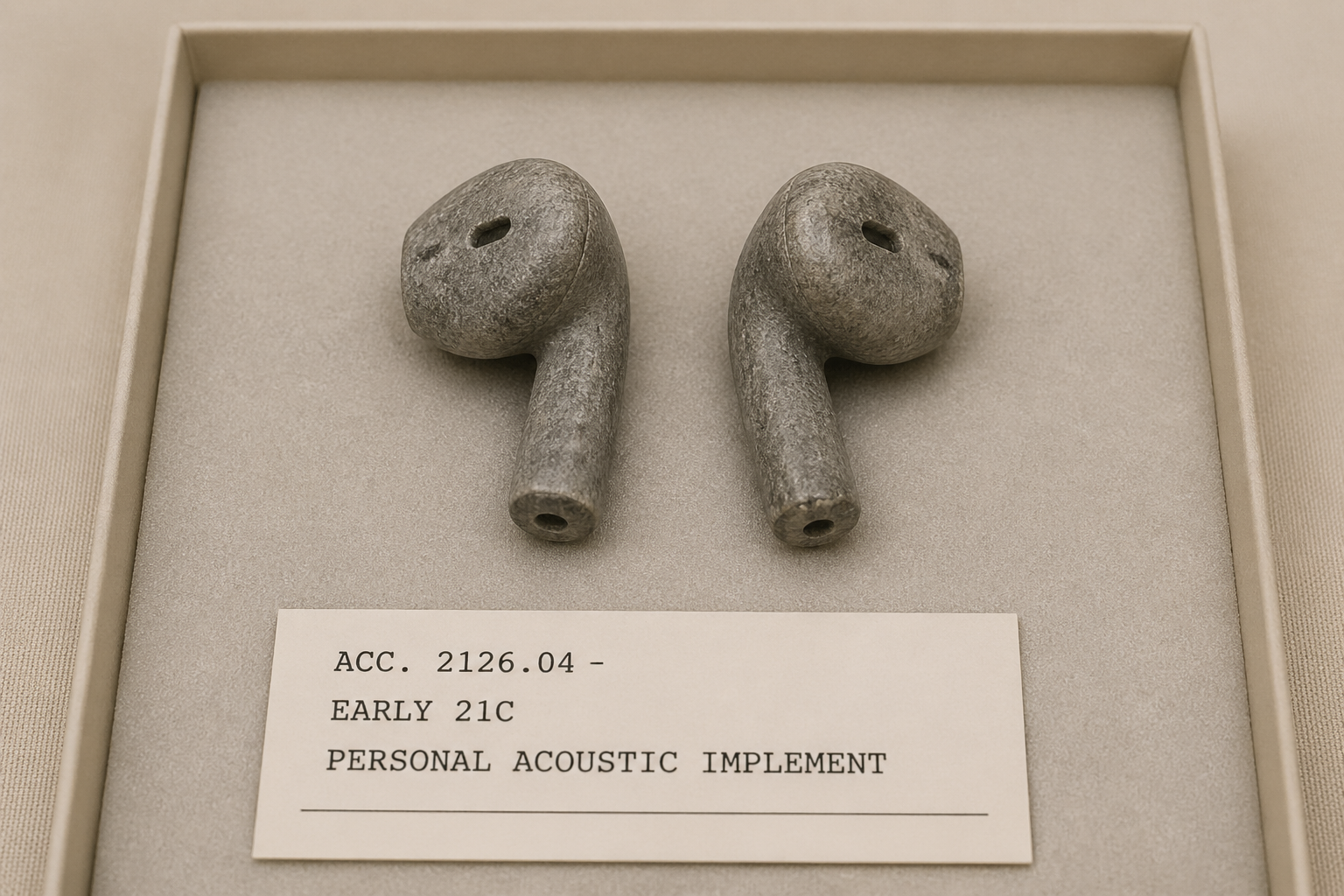
Product & E-Commerce Photography
Material details, lighting quality, product labels — generate museum-grade still photography without a physical studio, drastically reducing production costs.
Start Creating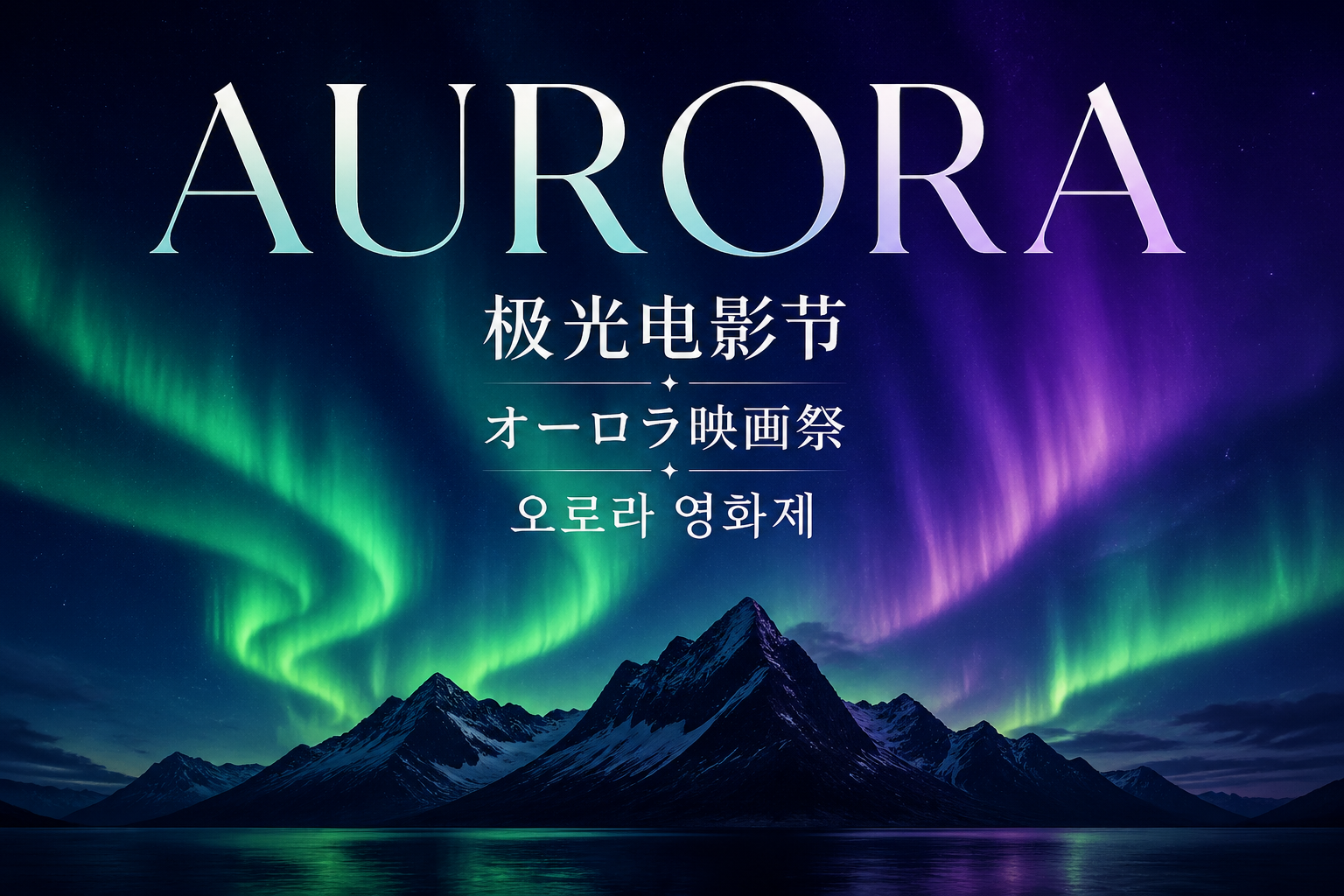
Multilingual Typography Design
Chinese, Japanese, Korean, Arabic — CJK and multi-script text rendering is accurate and clear. Global-market visual content in one step.
Start CreatingHow Does GPT Image 2 Compare?
Based on real-world usage, compared against current mainstream image generation models
GPT Image 2
RecommendedPrevious Gen
DALL·E 3
How to Use GPT Image 2
Three steps to start creating
Enter Your Prompt
Describe the image you want in the input box above, then select a model and aspect ratio. The more specific your prompt, the better the result.
Generate in One Click
Click Generate and GPT Image 2 will produce a high-quality image in seconds. Not satisfied? Tweak your prompt and try again.
Download or Iterate
Happy with the result? Download directly. You can also upload reference images for further editing — keep refining until it's perfect.
GPT Image 2 Use Cases
From brand marketing to product design — where GPT Image 2 shines
Marketing & Ad Creatives
Near-perfect text rendering means product labels, headlines, and call-to-action text will finally be usable straight out of the generator.
No more manual text fixesUI/UX Mockups & Screenshots
Generate realistic app interfaces, dashboards, and website screenshots with legible interface text and proper layout.
Pixel-accurate UI previewsMultilingual Content
Excellent non-Latin script support opens AI image generation to Chinese, Arabic, Japanese, and other language markets.
Global content at scaleProfessional Photography
True-to-life color rendering and photorealism make AI-generated images viable for product catalogs and editorial use.
Studio quality without a studioBrand Campaign Visual Systems
From hero visuals to extended materials — maintain consistent brand colors, fonts, and visual style across an entire campaign.
Brand visual consistency guaranteedSocial Media & Ad Assets
Generate visuals tailored to each platform's size requirements (Instagram, Xiaohongshu, WeChat) — batch-create assets for every channel.
One-click multi-channel sizingWrite Better Prompts
Master these 6 techniques to get the most out of GPT Image 2
Start with Scene Description
Begin with the overall scene: what's the subject, where is it, what's the lighting. A clear scene setup is the foundation of great output.
Be Explicit with Text
Wrap text you want rendered in quotes and specify font style or position. Example: "Large headline at the top reading 'SALE'".
Describe Material Details
Specify material textures: matte metal, smooth glass, rough stone… the more specific, the more realistic the result.
Specify Aspect Ratio
Choose ratio based on use case: 1:1 for e-commerce covers, 16:9 for social media landscape, 9:16 for phone wallpapers.
Use Reference Images
Uploading a reference image helps convey style, tone, or composition intent far more effectively than text alone.
Plan Series Consistency
When creating multiple images in a series, establish consistent visual keywords (color palette, composition, style) before generating each one.
What Users Are Saying
Real feedback from developers, designers, and creators using GPT Image 2.
Near-Perfect Text Rendering
Users report text on signs, product labels, code snippets, and even handwritten notes renders cleanly — described as 'finally usable for production work.'
Yellow Color Cast Eliminated
The warm yellow tint that plagued GPT Image 1.5 is gone. Images show natural, neutral color rendering without post-processing.
New Standalone Architecture
Metadata analysis and inference patterns confirm a completely new model — not built on the GPT-4o pipeline. Single-pass inference delivers faster generation.
OpenAI's new image model GPT-Image-2 has launched
Pieter Levels spotted three anonymous models on LM Arena under code names maskingtape, gaffertape, and packingtape. 3.7K likes.
GPT-Image-2 is testing on the Arena
Blake Robbins shares early examples from the Arena tests. Community confirms multiple code-named models. 2.8K likes.
Holy smokes... leaked OpenAI GPT-Image-2 model on Arena is wild
Min Choi reacts to the model quality, calling it a significant leap over GPT Image 1.5. 776 likes.
GPT-Image-2 is insanely good with text rendering
Mark Kretschmann highlights the text rendering accuracy breakthrough across multiple test cases. 423 likes.
New image models in the Arena
Angel (@Angaisb_) is among the first to document the anonymous tape-named models appearing on LM Arena. 435 likes.
Huge gallery of images made with Images V2 by OpenAI
Mark Kretschmann shares an extensive gallery of outputs, demonstrating world knowledge and photorealism capabilities.
Frequently Asked Questions
Start Using GPT Image 2
4K resolution, 99%+ text accuracy, 11+ aspect ratios — start creating now